Barcode.dll - .NET barcode component
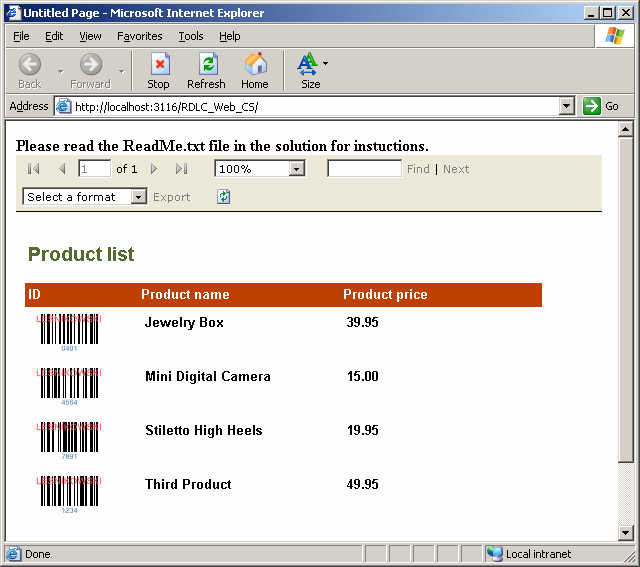
.NET barcode component that easily integrates barcode rendering with your .NET application. Written entirely in managed code. Works with .NET 1.1, .NET 2.0 - 4.6.2, 4.7+, 4.8+, Mono, Delphi.NET, Crystal Reports, Visual Studio Local Reports (RDLC), SQL Server Reporting Services, Gizmox Visual WebGui and ASP 3.0.
Try it online now! - See our online barcode demo.
Features
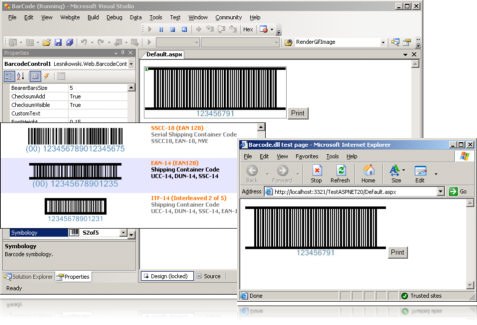
- Works with either ASP.NET or Windows Forms applications,
- Supports CrystalReports, Visual Studio Local Reports (RDLC), SQL Server Reporting Services, ASP3.0, VB and C++, Visual WebGui
- Supports barcode rotation,
- It supports most barcode symbologies,
- Bearer Bars support,
- Support of barcode output in many formats such as: BMP, EMF, GIF, JPEG, PNG, TIFF and WMF,
- Quiet zones can be set programmatically or automatically,
- You can also define any custom text, background, text and barcode colors,
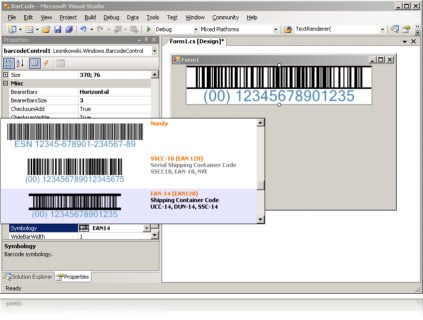
- Fully designer-friendly Windows Forms control and ASP.NET Server control,
- Available for COM through COM interop.
Standards supported:
- EAN13
- EAN8
- Standard 2 of 5 (Industrial 2 of 5)
- Interleaved 2 of 5
- Code39
- Code39 Full ASCII mode
- Code128
- UCC/EAN-128
- UPC-A
- UPC-E
- Code93
- Code93 Full ASCII mode
- Code11
- Codabar
- Postnet
- Planet
- MSI (also known as Modified Plessey)
- Numly
- SSCC-18 (Serial Shipping Containter Code)
- ITF-14
- EAN-14
- USPS Sack Label
- USPS Tray Label
- Swiss Post Parcel
- Pharma Zentral Nummer
- Optical Product Code
- Deutsche Post Leitcode
- Deutsche Post Identcode
- Royal Mail 4-State
- Singapore Post 4-State
- Royal TNT Post Kix
Get more info on all standards supported.
Quick start samples
using Limilabs.Barcode;

static void Main(string[] args)
{
    BaseBarcode b = BarcodeFactory
        .GetBarcode(Symbology.EAN13);

    b.Number = "123456789012";
    b.ChecksumAdd = true;

    // Render barcode:
    Bitmap bitmap = b.Render();

    // You can also save it to file:
    b.Save(
        "c:\\barcode.gif",
        ImageType.Gif);
}
You can find more samples here.
        using Limilabs.Barcode;
        static void Main(string[] args)
        {
            BaseBarcode barcode = BarcodeFactory.GetBarcode(Symbology.EAN13);
            barcode.Number = "123456789012";
            barcode.ChecksumAdd = true;
            // Render barcode:
            Bitmap bitmap = barcode.Render();
            // You can also save it to file:
            barcode.Save("c:\\barcode.gif", ImageType.Gif);
        }
        Imports Limilabs.Barcode
        Shared Sub Main()
            Dim barcode As BaseBarcode
            barcode = BarcodeFactory.GetBarcode(Symbology.EAN13)
            barcode.Number = "123456789012"
            barcode.ChecksumAdd = true
            ' Render barcode:
            Dim bitmap As Bitmap = barcode.Render()
            ' You can also save it to file:
            barcode.Save("c:\barcode.gif", ImageType.Gif)
        End Sub
        #include "stdafx.h"
        #include <atlimage.h>
        #import "..\..\Redistributables\Barcode.tlb" named_guids
        int _tmain(int argc, _TCHAR* argv[])
        {
            // Initialize COM.
            CoInitialize(NULL);
            Barcode::IBarcodeFactoryPtr pIBarcodeFactory;
            HRESULT hr = pIBarcodeFactory.CreateInstance(
                Barcode::CLSID_BarcodeFactory
            );
            Barcode::IBaseBarcodePtr pIBarcode =
                pIBarcodeFactory->CreateBarcode(Barcode::Symbology_Code39);
            // Release BarcodeFactory object.
            pIBarcodeFactory = NULL;
            // Set some barcode properites.
            pIBarcode->FontStyle = Barcode::FontStyleType_Bold;
            pIBarcode->ForeColor = RGB(100, 100, 200);
            pIBarcode->Number = "123";
            pIBarcode->Rotation = Barcode::RotationType_Degrees90;
            // Save barcode image to file as PNG.
            pIBarcode->Save("c:\\barcode.png", Barcode::ImageType_Png);
            // Obtain handle to another memory bitmap.
            HBITMAP hBitmap = (HBITMAP)pIBarcode->RenderHbitmap();
            // Attach CImage object to this handle.
            CImage image;
            image.Attach(hBitmap);
            // Save Cimage object to file as BMP.
            image.Save(L"c:\\barcode.bmp", Gdiplus::ImageFormatBMP);
            image.Destroy();
            // Release Barcode object.
            pIBarcode = NULL;
            // Uninitialize COM.
            CoUninitialize();
            return 0;
        }
        Dim bf
        Dim b
        Set bf = CreateObject("Limilabs.Barcode.BarcodeFactory")

        '=Code39. Check Symbology enum for other values.
        Set b = bf.CreateBarcode(4)
        ' Set some barcode properites.
        '=Bold. Check FontStyleType enum for other values.
        b.FontStyle = 1
        b.Number = "12345"
        '=Degrees90. Check RotationType enum for other values.
        b.Rotation = 1
        ' Save barcode image to file as PNG.
        '=Png. Check ImageType enum for other values.
        b.Save "c:\vb.png", 2
Our customers